Interactive training video
Training videos that stop, ask and report.
CourseVid turns a module you've already written into a narrated video lesson. It pauses for questions, keeps score and sends every answer to your LMS.
It plays
Narration in a real voice, captions with the spoken word picked out, a presenter on screen, music, and screens that zoom to each control.
It stops
Questions, sorting, decisions, hunts and try-its on the real screen. The lesson waits for an answer, and explains it.
It reports
Every check goes to your LMS as its own interaction, with a score, a pass mark, a medal and a certificate.
More than a video
Hover over each one to see it play.
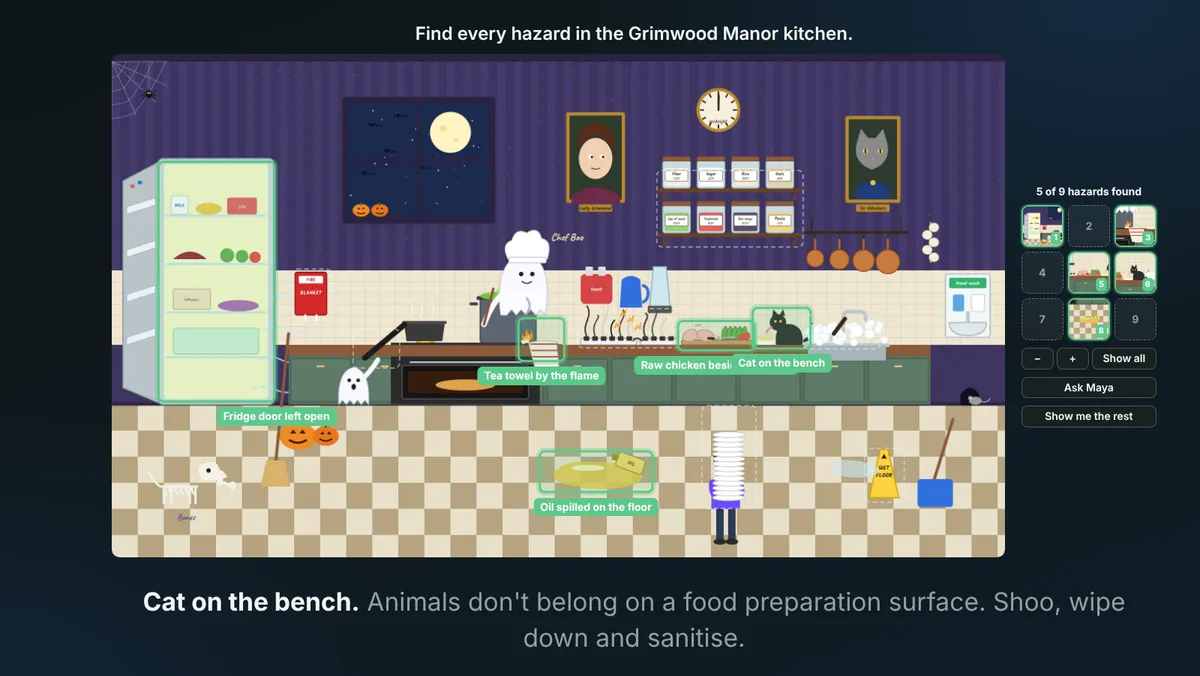
Hunts that teach people to look
Learners search a real picture for every hazard, error or risk, and each find lands in a tray with the reason why.
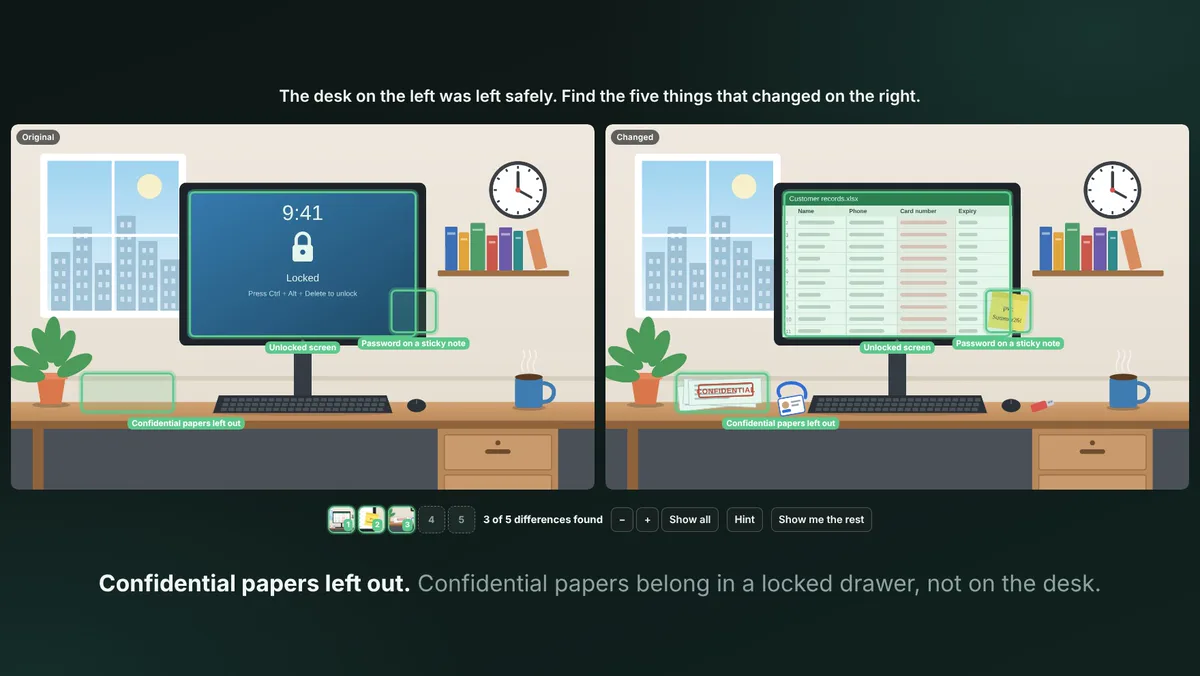
Spot the difference
The right way and the wrong way side by side. Learners find what changed and see why it matters.
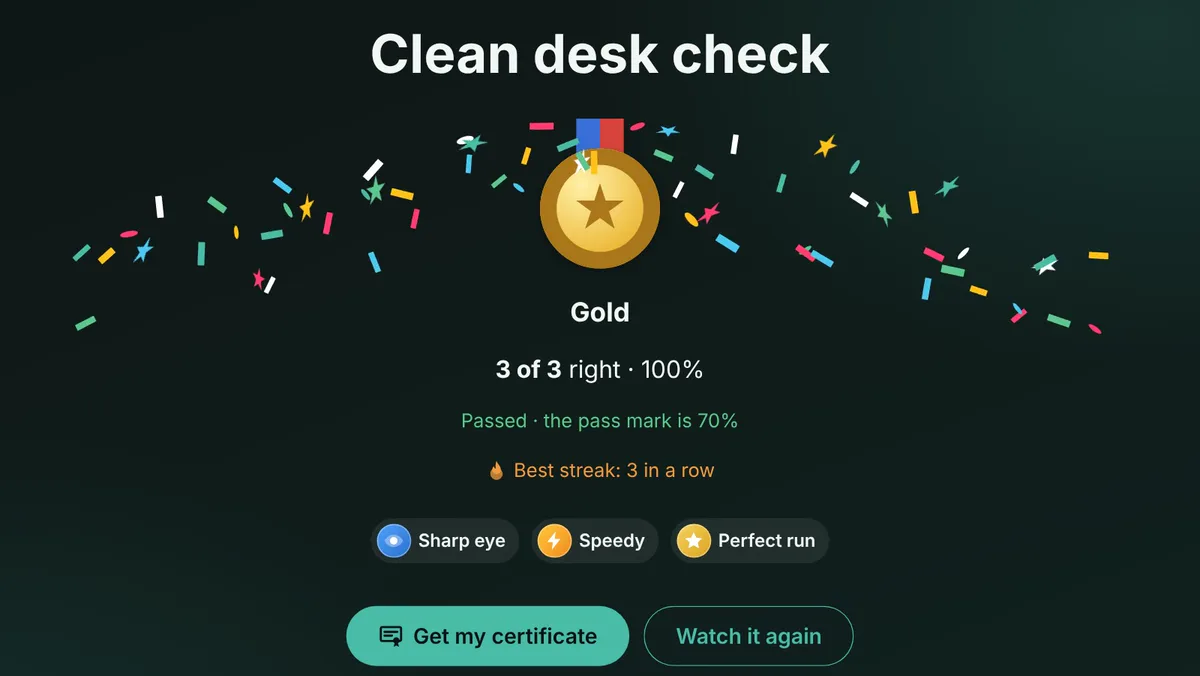
Scores, streaks and medals
A live score, a streak for answers right first time, and a medal at the end, with one click to replay what was missed.
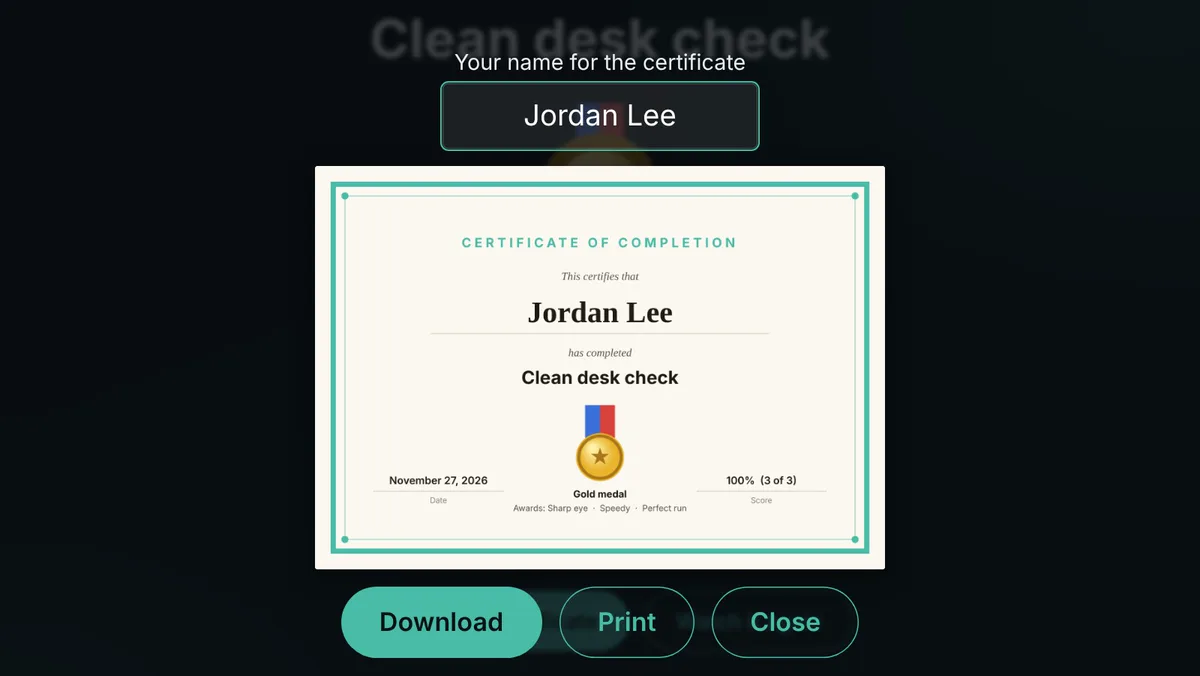
Awards and certificates
Badges for a perfect run, and a certificate learners download or print when they pass.
Open a real one
Published courses with CourseVids in them. Click through them yourself.





From your content to a CourseVid
- 1
Start from what you have
A module in CourseConverter, or a Word document. Add screenshots for any software steps.
- 2
Generate the scenes
AI writes the scenes from your content and records the narration. Review, reorder and edit any of it.
- 3
Share it
Export to your LMS with the rest of the course, drop it into Rise, or download the MP4.
Software walkthroughs
Screenshots become a click-through: numbered callouts, a pointer that clicks, then a try-it on the real screen.
Your choice of voice
OpenAI or ElevenLabs voices on your own key. Change one scene's words and only that scene is recorded again.
A presenter
Photo presenters who change pose as they explain, or drawn guides who wave, point and react to answers.
Captions and read-along
Subtitles timed to the voice, and on-screen text that highlights as it is read.
Written from your content
Generate it from a module you already have, or write it in Word with CourseTag tags and import it.
Every format
Exports with your course to SCORM 1.2 or HTML, as a block for Articulate Rise, or as a 1080p MP4.
CourseVid comes with CourseConverter Pro
You make CourseVids inside CourseConverter, where your courses live, along with AI course building, the full document suite and SCORM export. CourseVids run on your own AI keys, so you pay the providers at cost. Every paid plan has a 14-day money-back guarantee.
Questions
+What is a CourseVid?
A narrated lesson that plays like a short video, built from scenes: titles, steps, screenshots with callouts, comparisons and questions. Unlike a video, it stops for checks and reports every answer to your LMS, and any scene can be changed without re-recording the rest.
+Do I need to film anything?
No. The narration is generated from your text, the scenes come from your content, and software walkthroughs use screenshots you already have.
+How do I get it?
CourseVid is part of CourseConverter Pro. You make CourseVids inside CourseConverter, where your courses live, and export them with the course or on their own.
+What does it cost to run?
CourseVids run on your own AI keys: Anthropic to write the scenes, and OpenAI or ElevenLabs for the voice. You pay those providers directly, at cost, usually a few cents a scene.
+Does it work in my LMS?
It exports as SCORM 1.2, which works in Moodle, Canvas, TalentLMS, Cornerstone, Docebo and other SCORM-compliant systems. Each check is reported as its own interaction.